




Privacy Policy
This Privacy Policy explains how information may be collected, used, shared, protected, and managed when people use the website, submit a business, contact support, or interact with evaluation-related features.
Accessibility is part of building trust. The website should help people find information, understand evaluation details, and use important pages without unnecessary barriers.
This Accessibility Statement explains how PLOCAL works toward making website content, navigation, forms, business information, and trust resources easier to access and use for as many people as possible.
The goal is to provide a website experience that feels clear, readable, navigable, and practical for customers, business owners, and visitors using different devices, browsers, input methods, or assistive technologies.
Yes. Accessibility is an ongoing effort. As PLOCAL adds or improves pages, features, profiles, forms, badges, and visual elements, the website may be reviewed and adjusted to make the experience more usable and consistent.
The website uses organized navigation, page headings, category links, buttons, and section labels to help visitors understand where they are and where they can go next. This supports the main purpose of PLOCAL: helping people review local business information with more clarity.
Important links, buttons, menus, forms, and interactive areas should be reachable through normal navigation patterns, including keyboard navigation where supported by the browser, device, and page structure.
Content should be written in clear language, organized into useful sections, and supported by headings, labels, spacing, and contrast. The goal is to help visitors scan pages and understand important information without unnecessary confusion.
Images, logos, icons, badges, and trust visuals should include meaningful text alternatives when they communicate important information. Decorative visuals should not create confusion or make it harder to reach the main content.
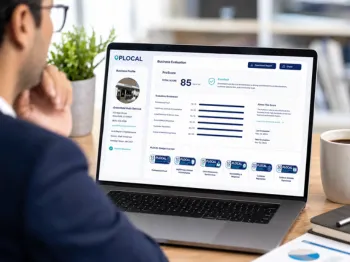
Visual elements such as ProScore details, badges, verification labels, and category indicators should be supported by readable text wherever possible. A visitor should not have to rely only on color, shape, or icon style to understand important evaluation information from PLOCAL.
Colors are selected and adjusted to support readability across headings, buttons, cards, badges, forms, and content areas. When color is used to communicate meaning, the website should also provide text, labels, icons, or context to help users understand the message.
Animations and visual effects should support the experience without making the page harder to use. Motion should remain subtle, avoid interfering with reading, and respect user preferences for reduced motion when supported.
Forms should use clear labels, readable fields, helpful button text, and direct instructions so visitors can search, contact support, submit a business, or request help with less friction.
When a form needs required information or shows an error, the message should be clear, specific, and placed close enough to the relevant field so users can understand what needs to be corrected.
Important links and buttons should describe the action they perform, such as searching for businesses, submitting a business, contacting support, verifying a badge, or reporting suspicious activity. Clear action text helps visitors move through PLOCAL without guessing what comes next.
Business profiles should present key details in a clear order, including business name, category, location, contact options, evaluation information, ProScore, badges, and trust signals. The goal is to help visitors review important information without unnecessary complexity.
Evaluation details should be supported by written explanations, category names, point values, and plain-language context. This helps users understand what a score or badge means instead of relying only on visual design.
Yes. Business profile information, score details, badges, service areas, and contact details may change as information is updated or reviewed. Accessibility improvements may also be made as PLOCAL profile layouts evolve.
Some pages may link to third-party websites, maps, booking tools, payment providers, business websites, social media pages, or external resources. Those experiences are controlled by their own providers and may have different accessibility practices.
Not always. Some accessibility issues may come from third-party plugins, embedded tools, external websites, browser settings, device limitations, or content supplied by businesses. When an issue is identified, PLOCAL aims to review it and improve what can reasonably be improved.
If you experience difficulty using the website or notice an accessibility barrier, contact support with the page URL, a description of the issue, and the device or assistive technology you were using if you are comfortable sharing it. This helps PLOCAL understand the problem and review the page more effectively.
If you need help accessing information from a page, profile, form, badge explanation, or trust and safety resource, you can contact support and request assistance. The team will review the request and respond as reasonably as possible.
Accessibility questions, feedback, or support requests can be sent through the Contact page or by emailing support. Clear feedback helps PLOCAL improve the website for customers, business owners, and future visitors.