


Fake PLOCAL Badges
Scammers sometimes copy trust badges to look credible. A badge image alone is not proof. Always confirm a badge through PLOCAL rather than trusting an image on a third-party site.
This guide explains common scams that misuse local business platforms and how to protect yourself. It is original PLOCAL guidance written to help customers and business owners stay safe.
Scammers sometimes copy trust badges to look credible. A badge image alone is not proof. Always confirm a badge through PLOCAL rather than trusting an image on a third-party site.
Be cautious of unexpected invoices or payment demands that claim to be from PLOCAL, especially if they pressure you to pay quickly. Verify any charge before paying.
Phishing messages try to capture your login or payment details by imitating a trusted brand. Do not click suspicious links, and check that any login page is genuinely PLOCAL.
Unsolicited calls, texts, or emails may misuse the PLOCAL name to sell services or collect information. PLOCAL will never ask for sensitive details through unsolicited messages.
Watch for listings with no verifiable address, mismatched contact details, pressure tactics, or requests for payment outside normal channels. When something feels off, slow down.
Confirm the business name, location, and contact details independently.
Get written estimates and avoid large upfront cash payments.
Check licensing and credentials where relevant.
Use traceable payment methods and keep records.
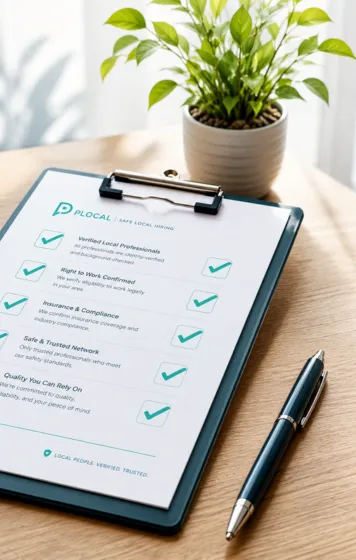
Find the business or badge through PLOCAL.
Check the evaluation details and badge status.
Verify the evaluation year and business details.
Verify badges through PLOCAL directly rather than trusting a badge image on another site. Year-based badges reflect how long a business has been evaluated and are generated from the evaluation date, not added manually.
If you see a fake badge, a suspicious listing, or a message misusing the PLOCAL name, report it so it can be reviewed.
Report to PLOCAL SupportTo report suspicious activity, contact PLOCAL support.
Use this form to report a fake badge, fake invoice, phishing, spam, a suspicious listing, or a misleading profile claim.